


Before we start, let’s state the obvious right away.
I’m a somewhat tech-savvy Boomer, with extra emphasis on somewhat. But when the youngsters talk during our staff meetings, I usually just smile and nod a lot.
That’s why I wanted to try out the new Arccos integration with Meta AI smart glasses. I mean, if I could figure it out …
Turns out the whole process is easier than you’d think. More importantly, it’s one of those products that does exactly what it says it will do. It does its job very well.
Whether that’s a job you want done, however, is a different question altogether.
Let’s take a quick look at what Arccos and Meta have done and then we’ll dive into how it works on course.

What exactly is this Arccos/Meta AI partnership, anyway?
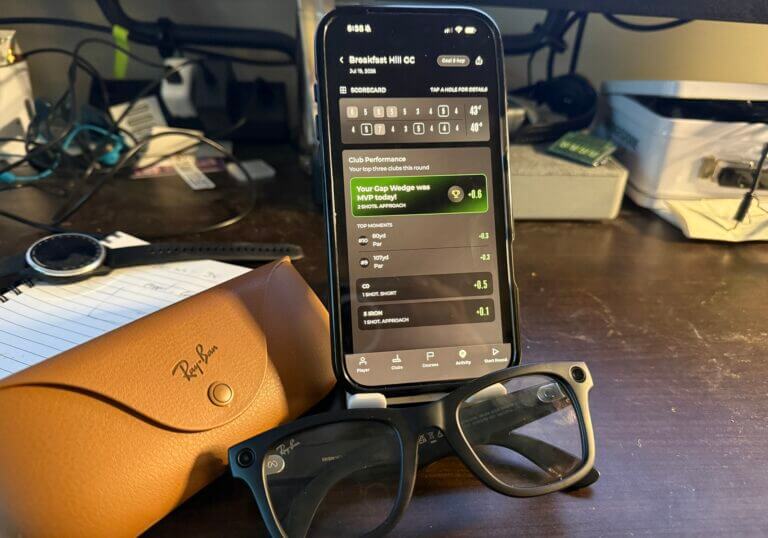
We told you about this arrangement a couple of weeks ago, but here’s a quick refresher. You can now access your Arccos on-course caddie function (and all your performance data) through your Meta AI glasses using nothing but your voice.
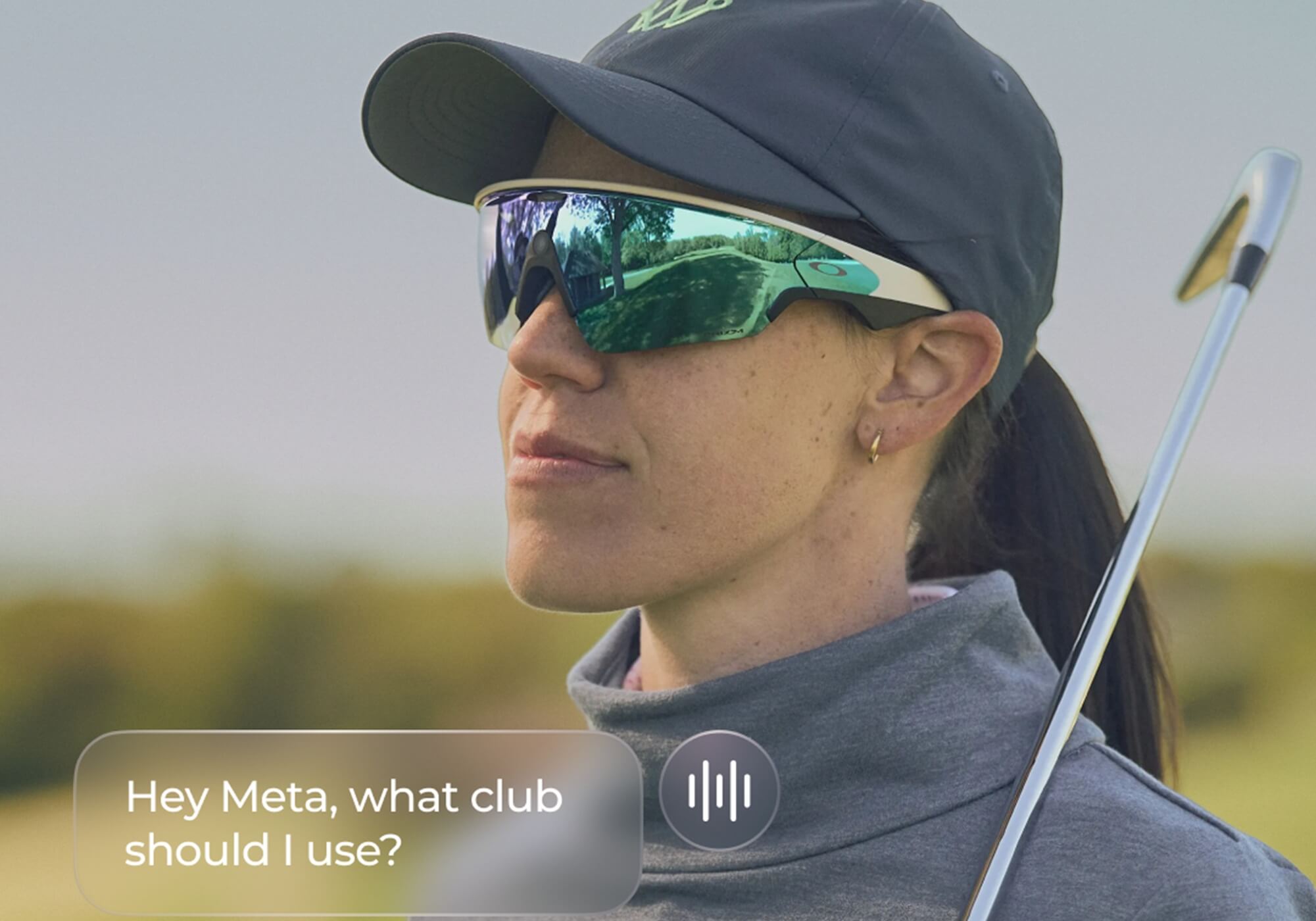
Once the app and glasses are connected, all you have to do is say, “Hey, Meta …” and ask it questions like “How far to the back pin placement?” or “What club should I hit here?” or “What is the smart play on this hole?”
The glasses will then check in with the Arccos app and give you the info you’re looking for. You don’t have to fiddle with your phone, look at your GPS watch or reach for your laser rangefinder. The app takes weather, wind and elevation into account for all distances and it gives you straightforward answers that only you can hear.
And once you get it set up, it’s pretty easy to use.

Setting up Arccos and your Meta glasses
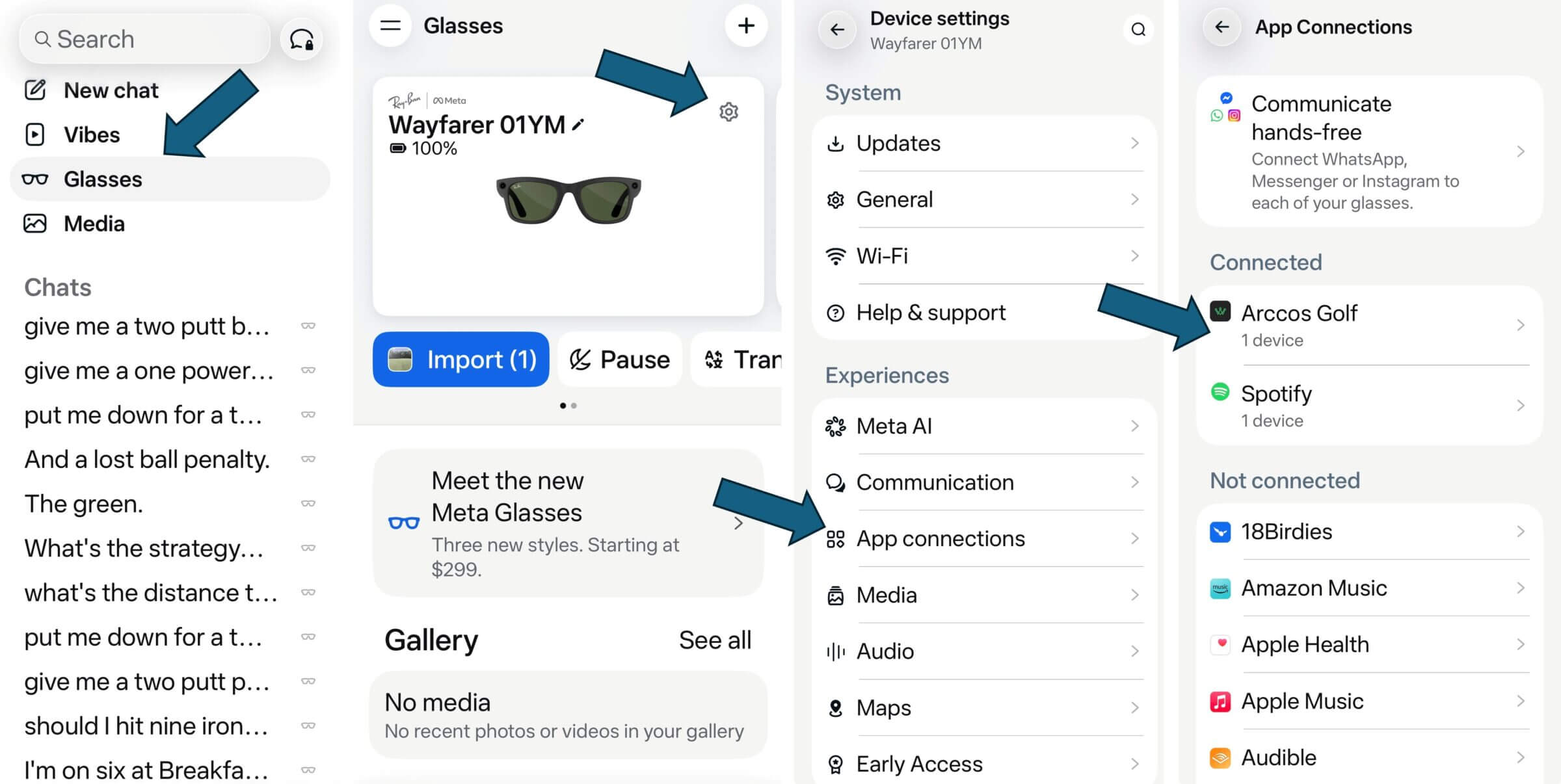
You have to do a couple of non-intuitive steps to get rolling. You first have to connect your Meta AI glasses to the newly updated Arccos app. To do that, you open the Meta AI app and go the Glasses section. From there you allow Meta access to Arccos.
My first attempt hit a brick wall, though, as Meta didn’t quite understand what I wanted when I asked it to start a round of golf. The good news is that since you’re talking to Meta AI, you can ask it for the instructions. Turns out you also have to switch Location Services for both the Meta AI app and the Arccos app to “Always On.”
Now we’re ready to rock and roll.
On the course with Arccos and Meta
Precise communication is key in any relationship, especially this one. I had to be very specific with Meta, asking it to start a round with Arccos at Breakfast Hill Golf Course (Greenland, N.H.) from the black tees.
“Hey Meta, start a round with Arccos at Breakfast Hill Golf Course from the black tees.”
“Of course, John. The round is started. I hope you play well.”
Yes, she really said that.

I played as a single and was paired up with another single and a husband-and-wife twosome. I didn’t tell them what I was doing when we met on the first tee so I think they were a little startled (and maybe a little worried) when I appeared to be talking to myself over the first three or four holes. When I told them I was testing the Meta glasses, they were relieved. The other single said they were wondering what was wrong with me and why I was carrying on a conversation with someone they couldn’t see.
The system worked seamlessly. Meta spoke to me in a woman’s voice that was gentle, caring and nurturing. Again, you have to be specific. You can’t say things like, “Hey, Meta, what am I looking at?” The Arccos connection can’t see what you see. It only knows GPS position, the weather and your data.
So, instead, you say things like, “Hey, Meta, what’s the distance to the back pin?” You’ll hear a few little beeps as it thinks and then it tells you.
“John, you’re 148 yards to the back portion of the green. It’s slightly uphill and into a 10-mile-per-hour breeze. It plays 158.”
“What club should I hit?”
“This should be an easy 7-iron for you, John. Just commit to the swing and send it home.”
Yes, she really said that, too.

Scorekeeping and other conversations
You also have to be very specific when you tell it your score. Especially if you haven’t interacted in a few minutes.
“Hey, Meta, give me a par, with two putts.”
“What hole are you on, John?”
“Number two at Breakfast Hill.” I didn’t have to say “Hey, Meta” when answering her question.
“Oooooh, nice par, John. Way to rebound. That should make you feel pretty good.”
I had just double-bogeyed the easy first hole. This was her way of not being judgmental. I was so encouraged that I promptly double-bogeyed the next two holes.
“Hey, Meta, put me down for another double bogey with two putts.”
“Ouch, double bogeys can be disheartening. Keep your chin up and stay positive.”
I parred the next three holes. I didn’t want to disappoint her. Maybe even impress her a little.

By the back nine, Meta and I had developed a nice little patter in a strange, first-date getting-to-know-you kind of way. That’s when I got a little bold.
“Hey, Meta, can you sound like Nicole Kidman?”
“No John, I can’t do voice impressions.”
“How about Lucy Lawless?”
“Sorry, John, I can’t do voice impressions.”
Things went eerily quiet after that. I think she was offended.
Arccos and Meta AI: What worked, what didn’t
The Arccos-Meta AI collab touts itself as an on-demand voice in your head that guides you around the golf course to the extent that you wish to be guided.
I can confidently report to you that it does just that.
I did double-check the yardages she gave me against my laser rangefinder with slope. As expected, they were within a yard or so of each other. Club recommendations were also spot-on and she would give me wind speed and direction with advice on how to play a shot based on both.
There were a few downsides. As with any symbiotic relationship, you have to learn your partner’s love language. Meta likes specificity. Instead of saying, “What’s my strategy here?”, you should say, “Hey, Meta, I’m on the eighth tee box. What’s my strategy here?”
Additionally, the glasses will pick up anything you say. I said “Breakfast Hill” while talking to one of my playing partners and Meta, separate from Arccos, started looking for breakfast places nearby. I finally realized I could touch the side of the glasses to activate the mute function.
You’ll want to use the mute function when talking with your playing partners. If you don’t, Meta will think you’re talking to her and she’ll answer you.
Another downside, and it’s a big one if you have older Meta AI glasses, is battery life. I have a pair of original Ray-Ban Wayfarers and even though I teed off with a full charge, the glasses ran out of juice on the 16th green. I had to finish the round the old-fashioned way: with my rangefinder and the Arccos app.
Arccos did confirm the battery issue with older Meta glasses. I may have to upgrade to a new pair of Oakleys.
Meta and Arccos: The final analysis
Arccos and Meta have done something unique. The hands-free, voice-activated interaction between the app, the glasses and you works very well. The more you use it, the more comfortable you get with and you’ll learn to avoid those miscommunication problems.
As for pace of play, I’d say at worst this setup is pace-of-play neutral. You ask your questions as you approach your ball. Meta will think for no more than a couple of seconds and then give you your answer. One could make the case that it’s actually a hair quicker than reaching for your rangefinder, taking aim and clicking the trigger.

Will I use it again?
That’s a definite yes. Once I realized I could use the mute function, the setup wasn’t distracting at all. Of course, I didn’t find the mute function until well after my playing partners concluded I was a self-talking wandering psycho.
It’s said that the best technology should remove complexity, not add to it, and is something you’ll actually use. Meta and Arccos have made this process very useful and pretty simple: You ask and this thing gives you the answer.
Then you play.
Whether this beats futzing with your phone, GPS watch or some other device is going to be up to you.
Where will this technology go?
This setup won’t be for everyone but that doesn’t mean it isn’t for anyone. It is, at its core, about convenience. Meta AI glasses can do way more than just play music and take pictures and we’re just scratching the surface.
It will be interesting to see where this technology will go in the future. Will we be able to look through glasses with augmented reality and have distances pop up for hazards, bunkers and the pin? Will we be able to get launch and impact information at the range? Can we use it to line up putts?

I don’t know if any of those things are in the works but I’ve also learned to never decide what’s possible when I don’t know a damn thing about how the technology works. Hey, I grew up in an era when you had to get off your ass to change the channel on the TV. Now we have a kajillion streaming options from all over the world and you never have to leave your couch.
To some, I’m sure this will sound like a gimmick or distraction. To others, it’s a cool new way to get information. If you choose to use it, know that it works as advertised. If you choose not to, well, I hope you had some fun reading this article. Either way, friends, this collaboration is just another step down Technology Road. We have no idea where it’s going to lead.








Andrew
3 months ago
could you do a similar things with a set of wireless earbuds, like airpods paired with an iphone and the arccos app?
John Barba
3 months ago
No. The Meta AI glasses and their inherent technology facilitate two-way communication. Meta is doing the talking and the listening; Arccos is simply providing the information.