



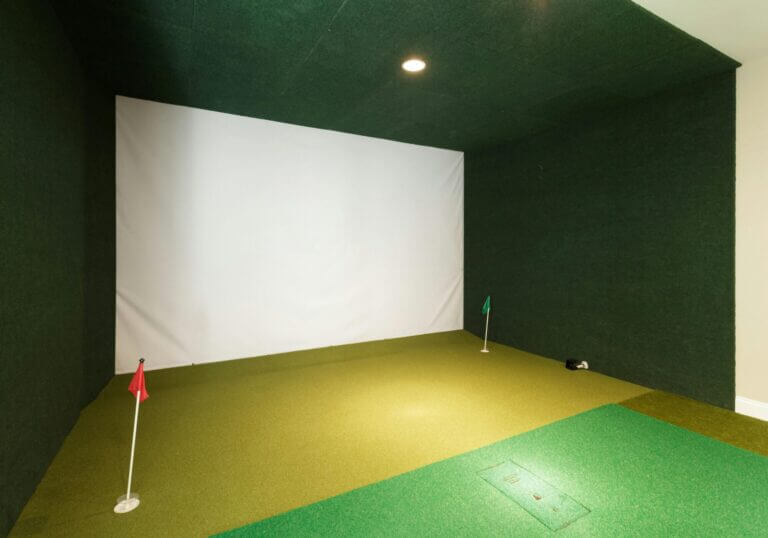
Getting a golf simulator feels like unlocking a new level in your game. You’ve got the screen, the launch monitor, maybe a putting strip and a net and you’re ready to take your game to the next level. The elephant in the room is that most golfers have no idea what to look for and how to analyze all of this data.
What should you be looking for? Are there stats that matter more than others? What do the numbers mean?
The answer depends on your game. Not all data points are helpful for every golfer. If you’re a beginner, you don’t need to stress about spin loft. If you’re a scratch trying to find a few extra yards or tighten dispersion, those numbers might be exactly what you need. Take a look at the video below for a good basic guide of what you should know.
Beginners
If you’re new to the game, the goal isn’t to maximize driver carry or fine-tune spin windows. It’s to get the ball in the air, going in the right general direction. A golf simulator can help you become more consistent and understand your strengths and weaknesses. Some of the most important things to track are carry distance, launch direction (start line) and smash factor.
- Carry distance: Carry is the number that matters most right now. It helps you get over bunkers and onto greens. Look for consistency in your carry numbers and aim for distance gaps of 10–12 yards between each club.
- Launch direction (start line): This shows where the ball is starting relative to your target. If the ball starts way left or right, it’s likely a face angle issue.
- Smash factor: Smash tells you how solid your strike was. It’s calculated by dividing ball speed by club speed. A good smash is 1.4–1.5 with a driver and 1.3–1.4 with a 7-iron. Lower numbers usually mean you missed the center of the face.
- Clubface angle: Clubface angle controls your start direction more than anything else. Try to keep it within +/-2 degrees of square at impact. Even small changes here can make a big difference in ball flight.

Mid-handicap golfers
For mid-handicap golfers, the basics are passe. However, consistency may still be something your game is lacking. It could be a slice or a few fat shots every round. The goal now is to work on being a more predictable golfer.
- Club path + face angle: These two combine to create face-to-path, which determines your shot shape. Start tracking both together; it explains why your ball curves the way it does.
- Launch angle: Launch affects how high the ball flies and how far it carries. Too low and you may lose distance while hitting the ball too high could result in lack of control. Look for launch angle with the driver in the 12– to 15-degree range and 16–20 degrees for the 7-iron.
- Spin rate: Spin controls height, carry and stopping power. If your driver spin rate is close to 3,200 rpm, you could be losing carry. Check your ball position and equipment to see how they can bring the spin rate down just a bit. For wedges, you’ll want higher spin rates in the 8,000 to 10,000 rpm range.

Low handicappers
At this point, you have solid contact and decent dispersion rates. Now you want to shape the ball on demand and make sure your distances are tight and consistent. Here are a few things to use your golf simulator for.
- Launch + spin windows: These two numbers work together to control carry and trajectory. Too much spin and you lose distance. Too little and the ball can drop out of the air. Trackman’s optimal driver window is launch in the 12– to15-degree range and spin somewhere between 2,000–2,400 rpm.
- Face-to-path: If you’re working a draw or fade on purpose, the relationship between path and face needs to be tight. Try a path of +2 degrees and a face of +1 degree for a small draw. Big gaps between face and path lead to big curves.
- Angle of attack: The angle of attack plays a big role in both spin and launch: driver: +2 to +5 degrees, irons: –3 to –6 degrees. A steep AoA usually adds spin and shortens carry. A shallow one can lead to thin shots and heel strikes.
- Spin axis: Spin axis shows how much curve is on the ball and in which direction. A draw typically shows –2 to –5 degrees, a fade is usually +2 to +5. If you’re seeing spin axis values beyond ±7 degrees, you’re likely curving it more than intended.
- Dynamic loft: This is the loft you’re delivering at impact, not what’s printed on the club. If your flights or distances vary, dynamic loft is one of the first numbers to check.
Final thoughts
You don’t have to be a data expert to use a golf simulator effectively. Begin by examining data suitable for your handicap and then adjust each factor until you feel more confident.









Dick Read
1 year ago
What an excellent article!👏🎊
I remember when I got my first R10. ##$%%what the heck are all these things measured? Had to research all of them, eliminate until I tracked things important to me. Before I got old, several injuries, those were real close to what you mentioned. Smash, back spin, carry, elevation. If hooking too much then club path and left/right spin. But mostly smash, spin and carry.
Again, good article and info for those who use simulators for practice, not just playing new course on machines.