

The Voice Caddie A2 does a lot well. It's all-around a solid GPS golf watch.
The display is vibrant and easy to read in the sun, and the undulation feature is amazing.
The A2 struggled at times with accuracy.
With its advanced technology and user-friendly interface, the A2 aims to provide golfers with accurate and real-time information to help them make better decisions on the course. By offering precise yardages to hazards, bunkers, and the green front/center/back, this GPS watch ensures that you have all the information you need to choose the right club and make the perfect shot.
When it comes to a GPS device, accuracy is paramount. The Voice Caddie A2 Golf GPS excels in this department, providing golfers with reliable and precise yardage measurements. By calculating slope data to the center of the green, this device goes beyond basic distance measurements, taking into account the elevation changes and undulations of the course. The result? You can confidently select the right club and adjust your shot accordingly, knowing that you have accurate information at your fingertips.
The Voice Caddie A2 Golf GPS is packed with features that enhance your gameplay and make your time on the course more enjoyable. Let’s take a closer look at some of its standout features:
One of the most impressive features of the A2 is its green undulation data. With this feature, you can get a clear visual representation of the terrain on the green. The vibrant and easy-to-read color touchscreen displays the undulations, allowing you to better understand the breaks and slopes of the green. By knowing the contours of the green, you can plan your approach and make more accurate putts, giving you a competitive edge on the course.
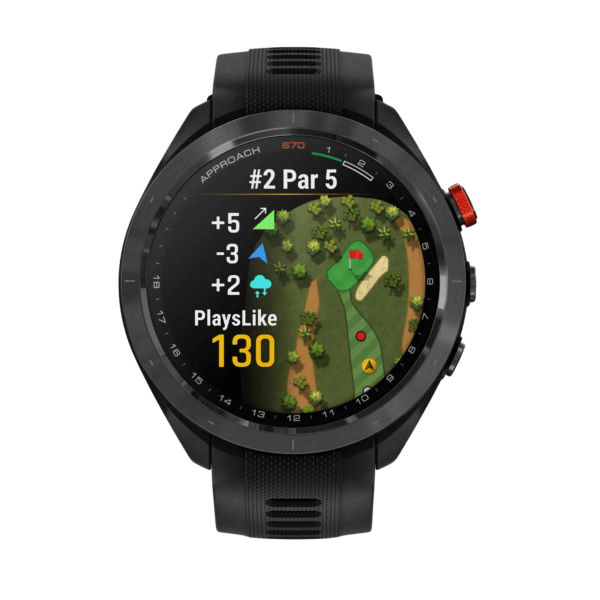
Navigating a golf course can sometimes be a challenge, especially if you’re playing on an unfamiliar course. The Voice Caddie A2 Golf GPS eliminates this problem with its course layout view feature. By providing a detailed map of the course, including hazards, bunkers, and key landmarks, this GPS watch ensures that you never lose your way. With a quick glance at your wrist, you can confidently navigate the course and focus on your game.
Every golfer has their own preferences when it comes to pin placements. The Voice Caddie A2 Golf GPS understands this and offers a customizable pin placement feature. Whether you prefer the pin in the front, center, or back of the green, you can manually select the pin position on the watch. This feature allows you to tailor the yardage measurements to match the specific pin placement, giving you accurate information that aligns with your game strategy.
Elevation changes can significantly impact your shots, especially when it comes to club selection. The Voice Caddie A2 Golf GPS takes elevation into account with its automatic slope feature. By automatically calculating slope data to the center of the green, this device provides you with adjusted yardage measurements that consider the uphill or downhill nature of the hole. With this information, you can make more informed decisions and execute shots with precision.
Keeping score during a round of golf can be a hassle, especially when you’re focused on your game. The Voice Caddie A2 Golf GPS simplifies this task with its smart scoring feature. With an automatic scorecard, you can effortlessly record your scores and track your progress as you play. This feature not only saves you time but also allows you to analyze your performance and identify areas for improvement.
Golfing is an outdoor sport, and Mother Nature doesn’t always cooperate. The Voice Caddie A2 Golf GPS is built to withstand the elements, thanks to its waterproof design. Whether you’re playing under the scorching sun or caught in a sudden downpour, this device will continue to perform reliably. So, you can focus on your game without worrying about the weather conditions.
Q: Can the Voice Caddie A2 Golf GPS be used in tournaments?
A: While the Voice Caddie A2 Golf GPS provides valuable information and insights, it’s important to check the regulations of the tournament you’re participating in. Some tournaments may have restrictions on the use of GPS devices, so it’s essential to familiarize yourself with the rules before using the A2 in a tournament setting.
Q: Is the Voice Caddie A2 Golf GPS compatible with all golf courses?
A: The Voice Caddie A2 Golf GPS is designed to work with a wide range of golf courses. However, it’s always a good idea to check the compatibility of the device with the specific courses you plan to play on. Voice Caddie provides regular updates to ensure that the A2 is compatible with the latest courses, offering golfers the most up-to-date information.
Q: How do I update the courses on the Voice Caddie A2 Golf GPS?
A: Updating the courses on the Voice Caddie A2 Golf GPS is a straightforward process. Simply connect the device to your computer and use the Voice Caddie software to download the latest course updates. These updates ensure that you have access to accurate and current information for the courses you play.

Our mission is #ConsumerFirst. We are here to help educate and empower golfers. We want you to get the most out of your money, time and performance. That means providing you with equipment reviews you can trust, as well as honest reporting on the latest issues affecting the game today. #PowerToThePlayer


| Driver Ping G30 | Hybrids PXG 0317 |
| 3/4 IRON PXG 0311XF | 5-GW Srixon Z 565 |
| SW PXG 0317 | LW PXG 0311 |
| Putter EVNROLL |
No comments yet. Start the discussion!









Leave A Reply